> For the complete documentation index, see [llms.txt](https://docs.xyb.co/llms.txt). Markdown versions of documentation pages are available by appending `.md` to page URLs; this page is available as [Markdown](https://docs.xyb.co/xyb-console/understanding-entities-in-xyb.md).
# Understanding Entities in XYB
Entities are the foundational building blocks in XYB that represent all participants involved in your financial ecosystem. Whether you're onboarding a customer, setting up a business account, or integrating a third-party partner, each is modeled as an entity. Entities help structure your operations, define relationships, and enable service provisioning across your product workflows.
#### Types of Entities
XYB supports five types of entities:
* **Customer**: Individual users using your financial services (e.g., account holders, borrowers).
* **Business**: Legal or commercial organizations using your platform (e.g., SMEs, vendors).
* **Partner**: External systems or institutions connected to your platform (e.g., banks, KYC providers).
* **Owner**: Internal or admin-level operators with control over configurations and operations.
* **App:** App entities are typically used for system-to-system authentication and are linked to API keys for secure request signing.
#### Create new entities
Entities power everything from account creation and payment routing to credit assessments and compliance. They act as the core data objects that link services like ledger accounts, cards, and workflows. When you create an entity, you're enabling the backend to enforce rules, attributes, and connections associated with that person or business.
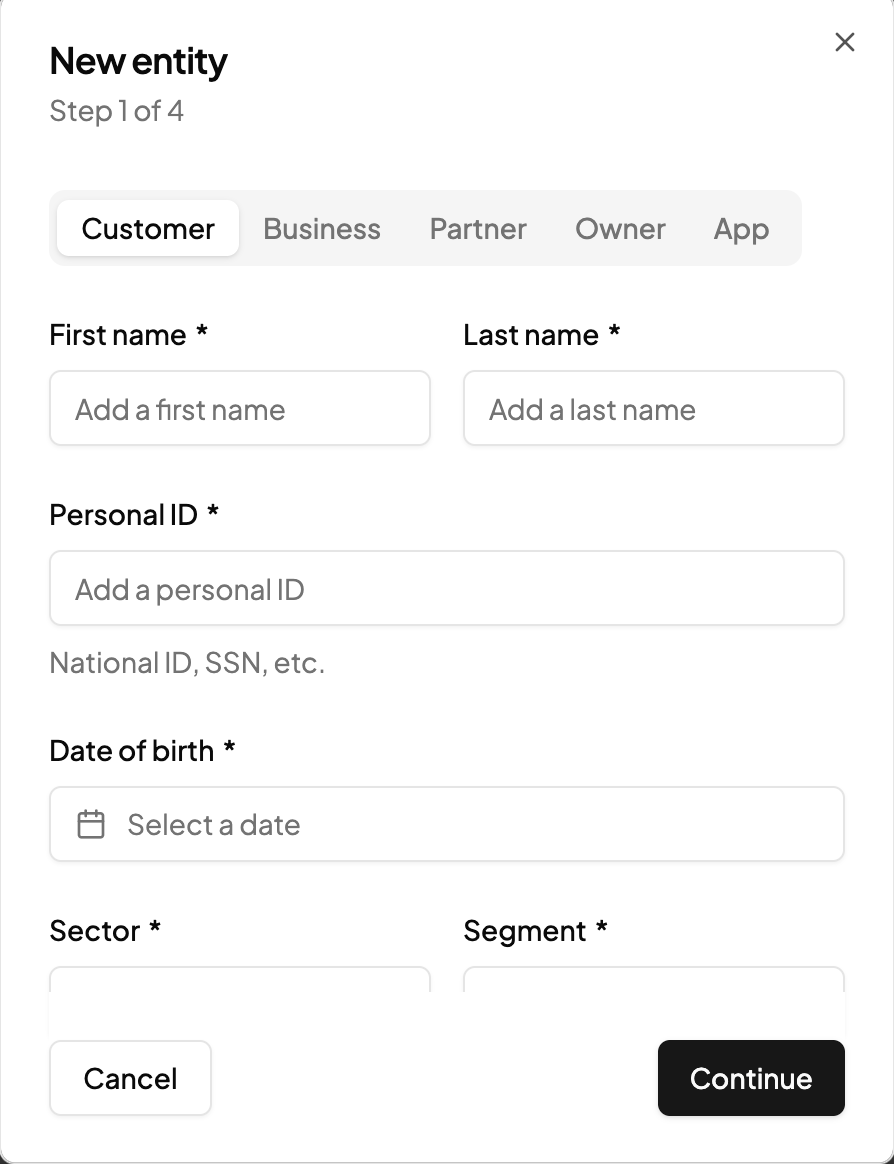
When you create a new entity, you need to provide the basic details based on the type of entity you create.
* Choose entity type (Customer, Business, Partner, Owner, App)
* Enter personal/business identifiers (e.g., name, national ID, date of birth)
* Specify the sector and segment
* Provide contact info (email, phone)
#### Managing Entities
You can view and manage all entities directly from the **Entities** page in the Console.\
The **entity view** lists key information such as the entity’s reference ID, name, role, country, creation and update timestamps, and status. You can use filters to narrow results by **segment**, **role**, **country**, **date range**, **app access**, or **status**.
{% hint style="success" %}
**Each entity includes an App access status, which you can view or update to reflect whether the customer or application currently has access to your services.**
{% endhint %}
From the entity view, you can also:
* Open individual entity details to review attributes, relationships, and activity.
* View associated services such as accounts or workflows.
* Identify **Active**, **Inactive**, or **Deleted** entities at a glance.
This view provides a centralized overview of all participants in your ecosystem, making it easier to monitor entity health, troubleshoot access issues, and manage lifecycle changes.
---
# Agent Instructions
This documentation is published with GitBook. GitBook is the documentation platform designed so that both humans and AI agents can read, navigate, and reason over technical content effectively. Learn more at gitbook.com.
## Querying This Documentation
If you need additional information that is not directly available in this page, you can query the documentation dynamically by asking a question.
Perform an HTTP GET request on the current page URL with the `ask` query parameter, and the optional `goal` query parameter:
```
GET https://docs.xyb.co/xyb-console/understanding-entities-in-xyb.md?ask=&goal=
```
`ask` is the immediate question: it should be specific, self-contained, and written in natural language.
`goal` is optional and describes the broader end goal you are ultimately trying to accomplish on behalf of the user. GitBook uses it to tailor the answer towards what is most useful for that goal.
The response will contain a direct answer to the question and relevant excerpts and sources from the documentation.
Use this mechanism when the answer is not explicitly present in the current page, you need clarification or additional context, or you want to retrieve related documentation sections.