> For the complete documentation index, see [llms.txt](https://docs.xyb.co/llms.txt). Markdown versions of documentation pages are available by appending `.md` to page URLs; this page is available as [Markdown](https://docs.xyb.co/xyb-console/file-vault-1.md).
# Data Deletion Requests in Console
XYB console supports a policy-controlled data deletion process that enables institutions to comply with privacy regulations such as the General Data Protection Regulation (GDPR) and similar frameworks.
You can initiate and manage data deletion requests governed by applicable approvals to ensure sensitive actions like removing personal data are audited and reviewed by the appropriate stakeholders.
Typical use cases are the following:
* A customer requests deletion of their personal data ("right to be forgotten").
* You need to clean up test or outdated entity data in your environment.
* Internal compliance reviews prompt the removal of inactive or expired records.
#### How to Request Deletion for an Entity
If you need to delete data for a specific customer, partner, or other entity:
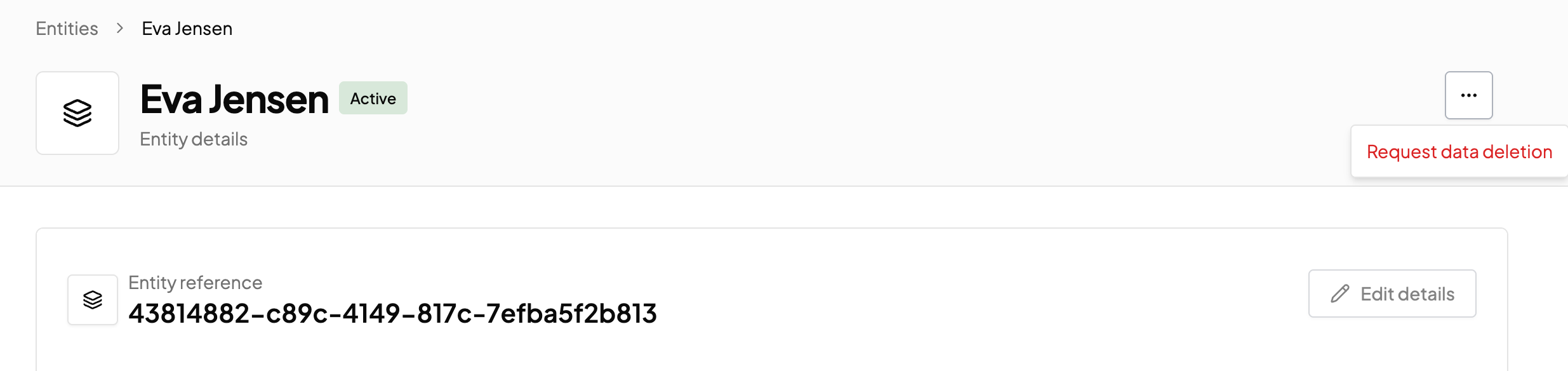
1. Under **Entities**, navigate to the specific entity you want to delete data for.
2. In the entity’s profile, click the **three dots (`⋯`)** in the top right corner.\\
3. Select **Request data deletion.** This creates a data deletion request and routes it through the appropriate approval process.
***
#### What Happens After the Request
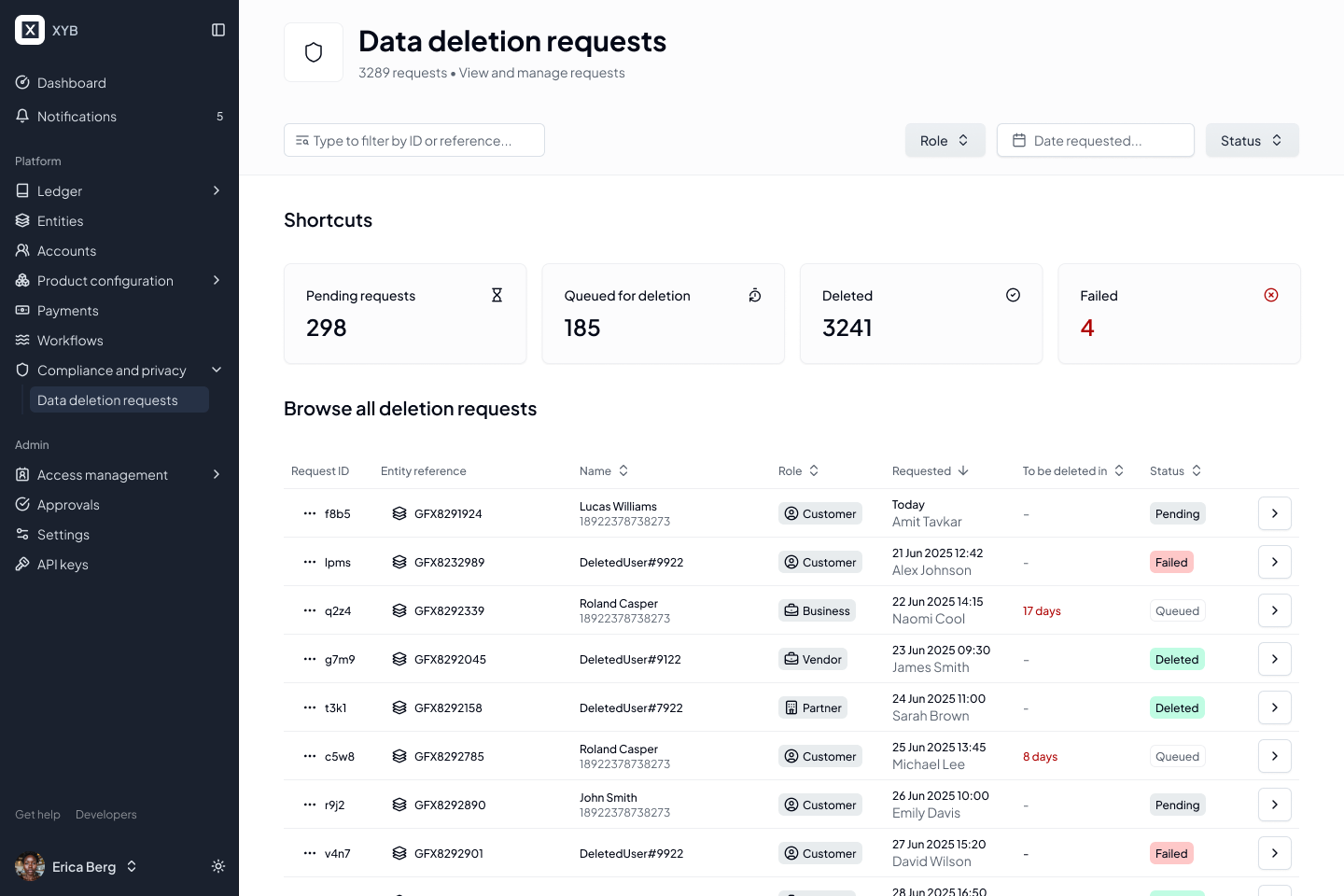
1. The request appears immediately in the Data deletion requests dashboard under Compliance and Privacy. The request will remain in a **Pending** status until approved by one of the assigned approvers.
2. If you're set as an approver, select the data deletion request to view the entity details. Review the deletion request and click the **three dots (`⋯`)** in the top right corner. You can select **Delete immediately** to remove the info permanently or select **Cancel Request** to retain the data in the system.
Note that the **requester cannot approve their own deletion request,** only assigned approvers can.
Once the approval request is approved, the data deletion request moves into a **Queued** status.\
The system then performs the deletion automatically after a configured delay (default: **4 hours**).\
The scheduled deletion time is displayed in the UI.
#### Generate Data Deletion Report
Additionally, you can also get detailed reports on deleted data including entity information, who initiated the request, and approval and deletion timestamps.
1. In the Data Deletion Request item, click **Generate report** post deletion.\

2. Select the applicable template, language, and click **Generate report**.
---
# Agent Instructions
This documentation is published with GitBook. GitBook is the documentation platform designed so that both humans and AI agents can read, navigate, and reason over technical content effectively. Learn more at gitbook.com.
## Querying This Documentation
If you need additional information that is not directly available in this page, you can query the documentation dynamically by asking a question.
Perform an HTTP GET request on the current page URL with the `ask` query parameter, and the optional `goal` query parameter:
```
GET https://docs.xyb.co/xyb-console/file-vault-1.md?ask=&goal=
```
`ask` is the immediate question: it should be specific, self-contained, and written in natural language.
`goal` is optional and describes the broader end goal you are ultimately trying to accomplish on behalf of the user. GitBook uses it to tailor the answer towards what is most useful for that goal.
The response will contain a direct answer to the question and relevant excerpts and sources from the documentation.
Use this mechanism when the answer is not explicitly present in the current page, you need clarification or additional context, or you want to retrieve related documentation sections.