> For the complete documentation index, see [llms.txt](https://docs.xyb.co/llms.txt). Markdown versions of documentation pages are available by appending `.md` to page URLs; this page is available as [Markdown](https://docs.xyb.co/credit/create-and-manage-contracts/manage-credit-contracts-and-terms/enabling-flexible-payment-options.md).
# Enabling Flexible Payment Options
Learn how the XYB platform supports flexible repayment strategies including partial repayments, early repayments, and extra payments, and how to configure them in your product setup.
Flexible payment options allow customers to manage their credit more efficiently by paying off debt ahead of schedule or in varying amounts. These options include:
* **Partial Payback**
* **Early Repayment (Full Payoff)**
* **Extra Payment**
Each option triggers different logic in the product engine and requires certain configurations in the product setup.
***
### 1. **Partial Payback**
A **partial payback** is when a customer pays **more than the scheduled amount**, but **less than the total outstanding balance**.
To initiate partial payback, follow the steps below:
1. **Verify product configuration settings:**
1. If **`TERM_REDUCTION_METHOD`** is configured under **Schedule Calculation Method** in product configuration, the system **shortens the contract term** while keeping the monthly installment amount unchanged.
2. If **`INSTALLMENT_METHOD`** is used instead, the **monthly installment is reduced**, and the contract term remains the same.
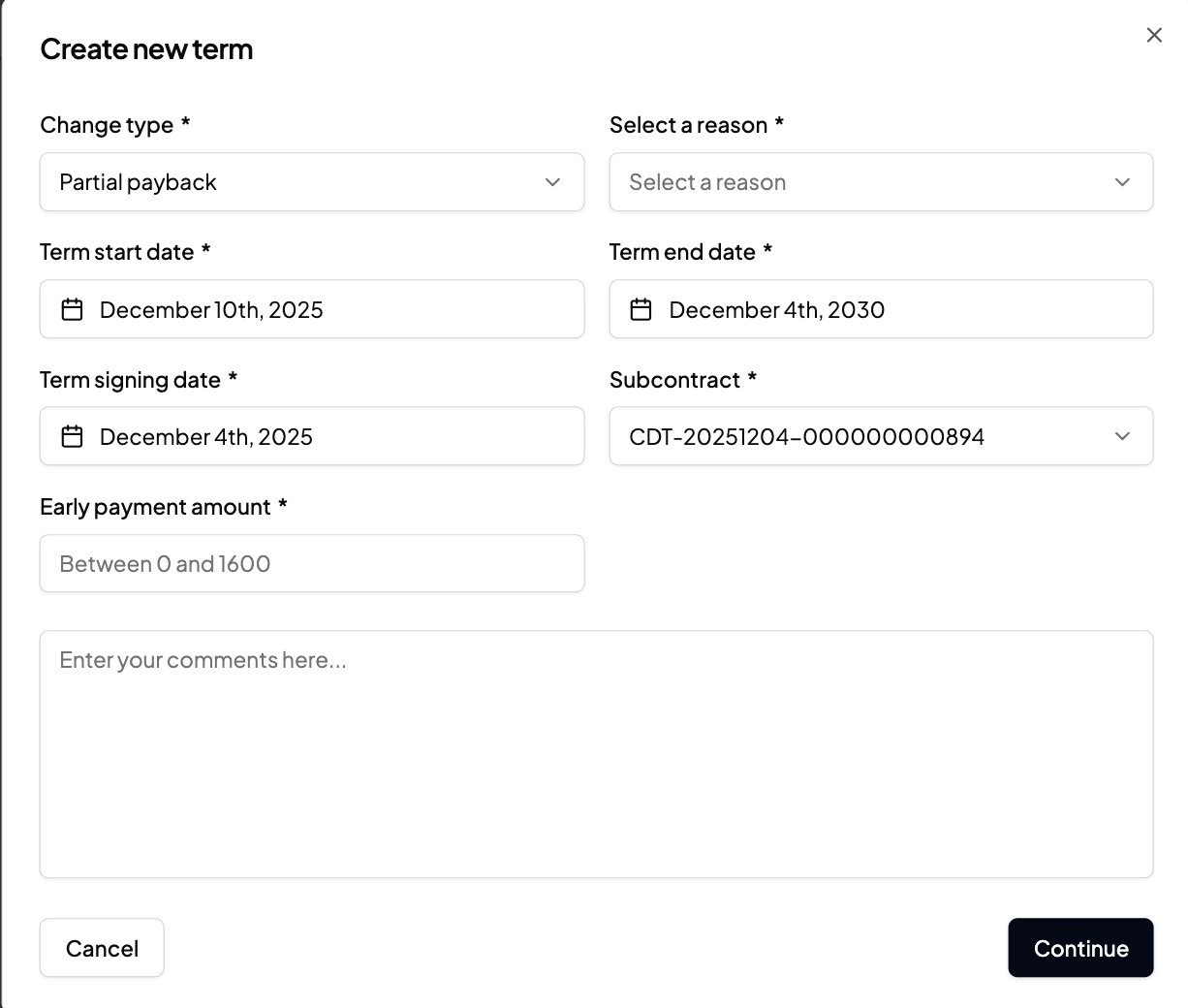
2. **Add new term**: Now add a new term in the contract and select Partial Payback from the dropdown. **Note**: If you're working with a **revolving credit line** product (e.g., Nordic Revolving Credit), you must select a **specific subcontract,** as each drawdown has its own repayment schedule.
3. Select a **reason**, input the E**arly payment amount**, and (for revolving products) select the relevant **subcontract**.
#### Customer experience:
* Customers can reduce **their loan duration or monthly burden** depending on the repayment model.
* No changes are needed on their end, the system applies the logic automatically.
* For revolving credit lines, customers may choose which specific drawdown (subcontract) to apply the early payment to.
***
### 2. **Early Repayment (Full Payoff)**
The full outstanding balance is repaid before the scheduled end date, either due to **customer request**, **contractual changes**, or **other operational or financial reasons**.
To execute this:
1. Review the **Product Configuration** settings:
* Optional: Configure any early repayment fee settings under **CONTRACT\_EARLY\_PAID\_BACK** fee type if applicable.
* Ensure your contract supports **early settlement** behavior.
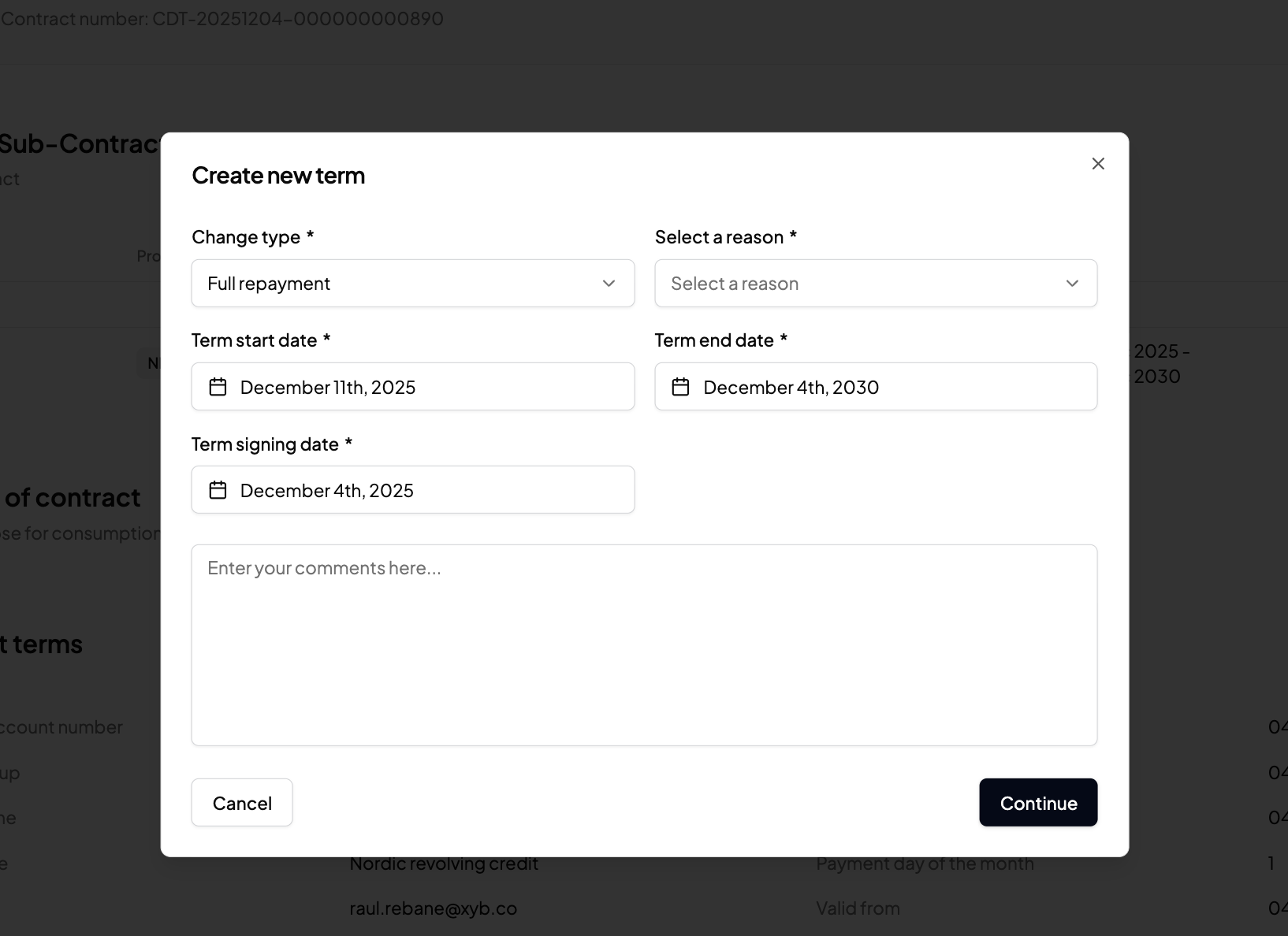
2. **Create a New Term:** In the applicable contract page, create a new term with Change Type: `Full Payback` .
* Enter the full outstanding amount (principal + accrued interest + any fees).
* The term applies to the main contract or the relevant subcontract.
* Choose from predefined reasons like *Contract Full Payback* or *Borrower Request*.
#### Customer experience:
* Customers can **fully settle their loan** ahead of schedule.
* Once processed, the system **closes the contract automatically**.
* Can be initiated via **customer support** or **self-service UI/API** if enabled.
***
### 3. Overpayment (Automatic Partial Payback)
If a customer’s **wallet or credit account** contains **more funds than required before the due date**, the system processes a repayment automatically.
To configure this:
1. Review **Product Configuration** settings: Ensure `Contract Settlement Order Method` is configured (e.g., FIFO or LIFO). Determine how excess funds are applied: to **invoices first**, then to **principal**.
2. **No changes in contract required:** Overpayments are detected by the system without user action.
Applies any excess to open invoices first, then to principal repayment on the oldest active subcontract
#### Customer Experience:
* No action required, the system applies any overfunding **automatically**.
* Reduces the outstanding principal **earlier than planned**, lowering interest accrual.
* Invoices and balances adjust accordingly in real-time.
### 4. Extra Payout
The customer receives **additional funds** from their available revolving credit line, this is considered a **new drawdown**.
To configure this:
1. **Review the Product Configuration:** Confirm `Subcontract Amortization Period` is set, defines the repayment schedule for new payouts. Ensure that credit limit logic and validation rules are correctly defined.
2. **Create a New Term** with **c**hange Type: `Extra Payout.` Enter the payout amount and repayment schedule. The system will automatically create a **new subcontract** for this payout.
3. **Select a Reason:** Choose a reason such as *Borrower Request*, *Contract Renewal*, or *Operational Efficiency*.
#### Customer Experience:
* Customers can **access additional credit** from their existing loan agreement.
* A new repayment schedule is created for the new drawdown.
* Payments for each subcontract are **tracked independently** if configured.
***
### Summary
Flexible payment options provide powerful tools for customer retention and repayment efficiency. With the right configurations in the XYB product engine, you can support multiple repayment behaviors automatically while giving customers the freedom to manage their credit responsibly.
---
# Agent Instructions
This documentation is published with GitBook. GitBook is the documentation platform designed so that both humans and AI agents can read, navigate, and reason over technical content effectively. Learn more at gitbook.com.
## Querying This Documentation
If you need additional information that is not directly available in this page, you can query the documentation dynamically by asking a question.
Perform an HTTP GET request on the current page URL with the `ask` query parameter, and the optional `goal` query parameter:
```
GET https://docs.xyb.co/credit/create-and-manage-contracts/manage-credit-contracts-and-terms/enabling-flexible-payment-options.md?ask=&goal=
```
`ask` is the immediate question: it should be specific, self-contained, and written in natural language.
`goal` is optional and describes the broader end goal you are ultimately trying to accomplish on behalf of the user. GitBook uses it to tailor the answer towards what is most useful for that goal.
The response will contain a direct answer to the question and relevant excerpts and sources from the documentation.
Use this mechanism when the answer is not explicitly present in the current page, you need clarification or additional context, or you want to retrieve related documentation sections.